



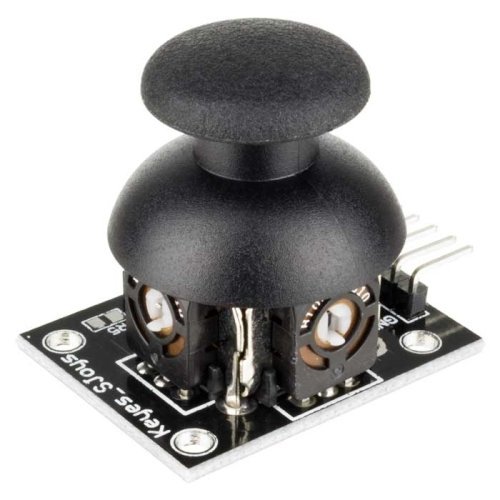
Dual-axis XY Joystick Module for Arduino
- Dimensions: 40 x 27 x 15 (LxWxH) mm
- Weight: 10gm (without Hat).
- 2.54mm pin interface leads
- Operating Voltage: 5V.
- Long service life and stable performance
- Standard interface and electronic building blocks
- Widely use in Arduino DIY projects
- Cross rocker as a two-way 10K resistor, with the rocker in a different direction
₨ 159 ₨ 239
Arduino XY Joystick Module Price in Pakistan
This dual-axis joystick module provides proportional X and Y analog outputs plus a push-button switch. It is suitable for robot controls, menu navigation, pan-and-tilt systems, game-style interfaces and electronics learning projects.
Connections
- VCC: listed 5V supply
- GND: common ground
- VRx: horizontal analog output
- VRy: vertical analog output
- SW: push-button switch output
Listed specifications
- Two approximately 10kΩ potentiometers for X and Y movement
- Integrated push switch activated by pressing the stick
- 2.54mm pin interface
- Approximate dimensions: 40 × 27 × 15mm
- Approximate weight: 10g without the cap
Calibration guidance
Read the X and Y signals with compatible analog inputs and the switch with a digital input. Practical centre and end-point values vary between modules, so record the neutral position and usable movement range in software. Add an input pull-up or pull-down for the switch according to the selected wiring.
For controller testing, connect the module to an Arduino UNO R3. Browse more Arduino modules from Robonation Pakistan.
For analog-input guidance, review the Arduino analogRead reference.
Based on 0 reviews
Be the first to review “Dual-axis XY Joystick Module for Arduino”
Related products
-
Arduino & IOT Boards, Module
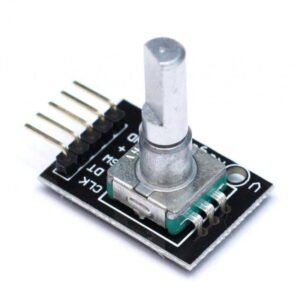
Rotary Encoder Module
- Working voltage: 5V
- Pulses per 360-degree revolution: 20
- Push button shaft On/Off switch
- Threaded shaft for panel mounting, also 2 mounting screw holes on the circuit board
- Standard “D” shaft, you can purchase knobs to give it a finished look
SKU: n/a -
Arduino & IOT Boards, Module, Shields
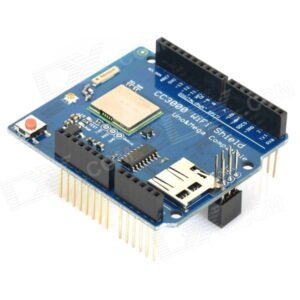
Arduino WiFi Shield CC3000
- Based on TI CC3000 WIFI module.
- Use SPI communication .
- Integrated 3.3V regulator .
- Level shifter integrated .
- Integrated ceramic antenna .
- It has a connector for external antenna WIFI
- Compatible with Arduino UNO, Mega, Leondardo & Micro
- Antenna: Onboard Ceramic
- MicroSD card slot onboard
- Reset button
- Communication Protocol: SPI
- Connects via IEEE 802.11 b/g networks
- Tx Bandwidth: 11Mbps
- Tx Sensitivity: +/-18dBm
- Rx sensitivity: -86dBm
- IRQ pin for interrupts (useful for asynchronous connections)
- Supports WEP, WPA, WPA2, TKIP and AES
- TCP and UDP Client & Server Modes available
- Max Concurrent TCP/UDP Sockets: 4
- TCP/IP stack is built in.
SKU: n/a -
Arduino & IOT Boards, Boards, Sensors, WIFI Modules
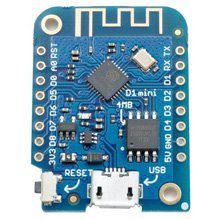
D1 Mini V3 Nodemcu Wifi Esp8266ex Usb Ch340c.
D1 mini is a breadboard which is compatible with WiFi development board on the ESP8266. It is a mini Arduino with WiFi module and has one analog port and 11 digital ports. t runs from 5V or 3.3V. Logic levels are 3.3V for all ports.
SKU: n/a
There are no reviews yet.